Kinetic & Satisfying Loops

How to Make Satisfying Loop Videos Without 3D Software

By the velements teamUpdated November 14, 20264 min read

How to Make Satisfying Loop Videos Without 3D Software

How do you make the oddly satisfying physics loops that run under Shorts and Reels without them jumping at the loop point?

Drive the motion from maths that closes on itself rather than from a simulation you cut short. Every preset here picks frequencies, path lengths and reset points so the last frame is identical to the first, which means the clip can run under a video for minutes without a visible seam.

Mechanism loops are the workhorse of retention backgrounds: a pendulum wave braiding and realigning, balls raining through a peg board, marbles rolling a zig-zag track. They are slow to build by hand because every ball, peg and tile is its own layer with its own timing. These presets generate the whole mechanism from a count, a speed and a palette.
Five kinetic & satisfying loops presets to start from

Hover any card to play it. Opening one loads it in the editor with every control unlocked.

  • Pendulum Wave

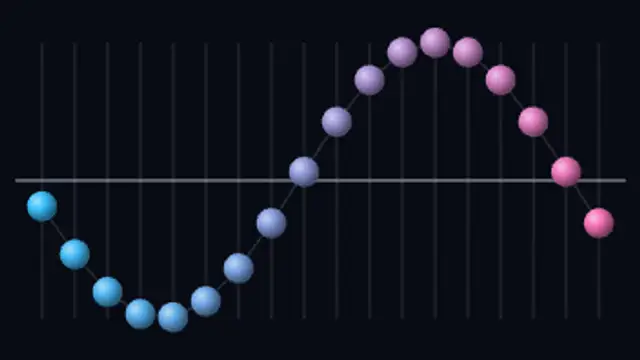
    Seen from above, a row of pendulums swings across the rail at rising frequencies, drifting out of phase into snakes and braids before snapping back into one straight line.

  • Plinko Ball Drop

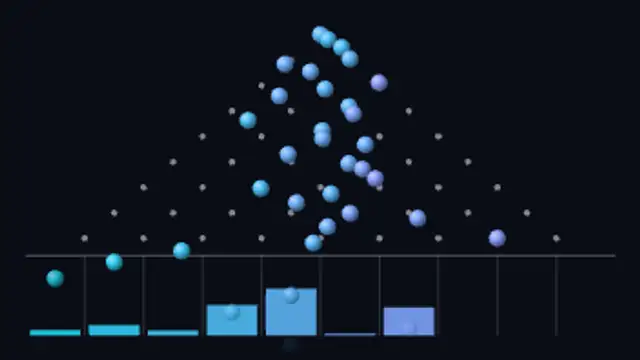
    Balls rain through a triangle of pegs, hopping left or right at every row, and the bins below rise and fall into the bell curve their landings draw.

  • Marble Run Track

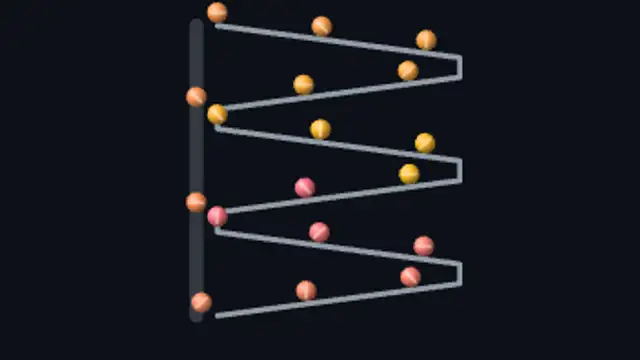
    Marbles roll down a stack of zig-zag ramps, drop to the rail below and ride a side lift back to the top, so the run never empties.

  • Domino Chain Reaction

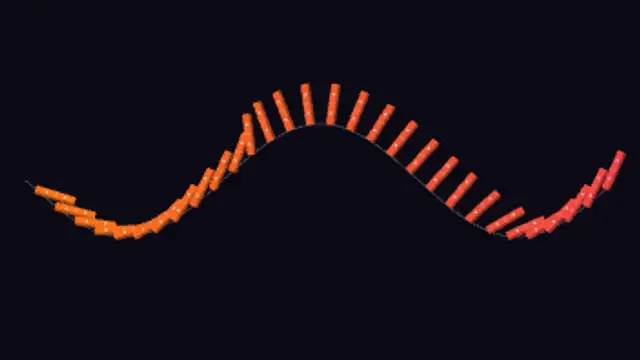
    A line of dominoes topples along a rolling ground line, each tile tipping into the next, and stands itself back up behind the wave.

  • Newton's Cradle

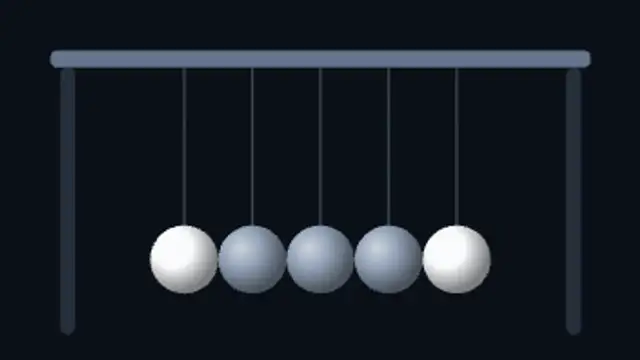
    The end ball lifts and drops, momentum crosses the still row without moving it, and the ball at the far end kicks out in its place.

All kinetic & satisfying loops

Step by step

  1. Choose the mechanism

    Pendulum Wave is a calm 12 second loop that goes in and out of alignment, good for relaxing clips. Ball Sort Tubes, at 14 seconds, gives viewers a puzzle to watch resolve. Ring Escape Bounce and Shrinking Arena Bounce are not loops: they build toward an ending, so they suit a video of their own.

  2. Adjust the parts

    Count sets how many pendulums, balls or parts are on screen. Speed and Intensity change how hard the motion feels on presets that have them, and Thickness weights the tracks on Marble Run Track. Variation reshuffles the seeded ones. Ring Escape Bounce also takes a Title, which works as a question.

  3. Pick a ratio and length

    Use 9:16 for vertical feeds or the lower half of a split-screen, and 16:9 for a stream background. Duration can reach 20 seconds. Eighteen of the 20 presets loop cleanly, so choose the length for the pace, then repeat the clip. The two bounce presets need their full length to reach the ending.

  4. Export MP4

    These have their own dark backgrounds and fill the frame, so MP4 is the simple choice and it opens in every editor. Only reach for a transparent export if the mechanism has to float over your own footage: PNG sequence for Premiere Pro, WebM with alpha for CapCut.

  5. Run it under a talking clip

    In CapCut, put your talking clip in the top half of a 9:16 project and the MP4 in the bottom half, then copy the MP4 until it covers the speech. Add no dissolve where copies meet, because the end of the clip already leads back to its start.

Where it is used

  • Split-screen filler

    A storytelling clip fills the lower half of a vertical video with Marble Run Track or Plinko Ball Drop, giving viewers something to watch while the narrator talks through a longer script.

  • Guess-the-result videos

    A creator types a question into the Title of Ring Escape Bounce and asks viewers to guess the result, so the clip's ending gives them a reason to watch through.

  • Engineering explainers

    A channel on how machines work uses Piston Crank Engine or Clock Escapement as the visual while explaining the mechanism, the moving parts showing what the narrator is describing.

Presets
20, of which 18 loop
Default length
5 to 14 seconds
Best export
MP4 at 9:16 or 16:9
Aspect ratios
16:9, 9:16, 1:1, 4:5

Which format should you export?

MP4 at 9:16 for Shorts, Reels and TikTok, 16:9 for stream backgrounds and video beds. Every preset is a true loop, so you can repeat the clip end to end in your editor with no crossfade.

Format
MP4 · WebM · PNG sequence
Alpha
WebM or PNG sequence
Resolution
720p to 8K
Aspect
16:9 · 9:16 · 1:1 · 4:5
Works with
Premiere Pro · After Effects · DaVinci Resolve · Final Cut Pro · CapCut · Figma
License
Commercial use included
Cost
Free · no account · no watermark

Three tips that make it look intentional

  • For split-screen filler, export at 9:16 and let the mechanism run the full height. The layouts re-stack for tall frames rather than cropping.
  • Longer durations slow the mechanism down instead of repeating it, so pick the duration that matches the pace you want.
  • Change the Variation value to reseed which way the balls scatter without touching any other control.

Three things people get wrong

  • Adding a crossfade at the loop point. It is not needed and it is the thing that makes the seam visible.
  • Turning the speed so high that the motion strobes at 30 fps. Keep the fastest element under a few cycles per second.
  • Using a busy gradient background under an already busy mechanism. The motion is the subject, so let the backdrop stay flat.

Frequently asked

Are these real physics?

The timing is derived from the real relationships, for example a pendulum's period from its arm length and a gear's speed from its tooth count, then solved so the motion lands exactly on the loop point.

Can I loop the clip forever?

Yes. The last frame matches the first, and the export never writes a duplicate frame, so you can repeat the file back to back for as long as you need.

  • How to Add an Animated Background to a Video

    Animated Backgrounds

    How to Add an Animated Background to a Video

    A seamless background loops so its last frame matches its first, which means you can repeat it for any duration without a visible jump. Gradients, grids, waves and particle fields work well behind titles, talking heads and product shots.

    Read the guide
  • How to Make a Paper Cutout Animation Without a Camera

    Paper Cutout

    How to Make a Paper Cutout Animation Without a Camera

    It is a style where shapes look torn, layered and slightly imperfect, as if cut from paper and moved by hand. Torn paper transitions, layered parallax scenes and tape labels bring warmth to explainers and craft content that flat vector motion cannot.

    Read the guide
  • How to Make 3D Spinning Text Without 3D Software

    3D Animations

    How to Make 3D Spinning Text Without 3D Software

    Yes, for the kind of 3D that video work actually uses: extruded text, spinning logos, rotating coins, cube grids and isometric stacks. These render on a 2D canvas as clean geometry, loop seamlessly and export as MP4 or transparent WebM.

    Read the guide
Ready to create?

Make your next clip in the next five minutes

Editing, previewing and downloading are free. No account, no watermark, every format and resolution.