velements

Animated Backgrounds

Animated backgrounds: seamless motion behind your content

Updated September 18, 20263 min read

What is a seamless animated background?

A seamless background loops so its last frame matches its first, which means you can repeat it for any duration without a visible jump. Gradients, grids, waves and particle fields work well behind titles, talking heads and product shots.

A moving background keeps a static shot alive without stealing focus. These presets drift gradients, pulse grids, float bokeh and roll waves, and you set the palette so the motion matches your brand rather than a stock look.

Five animated backgrounds presets to start from

Hover any card to play it. Opening one loads it in the editor with every control unlocked.

  • Soft glowing color fields drift and blend endlessly, a premium mesh-gradient backdrop that loops perfectly.

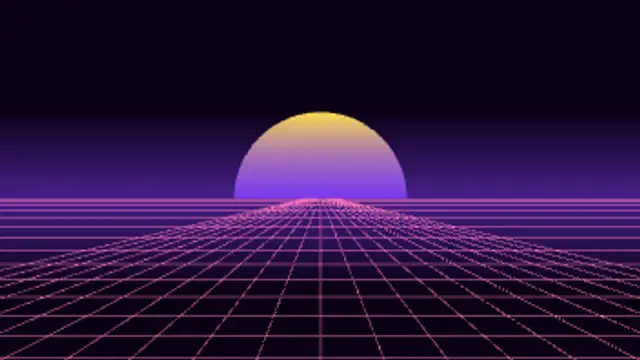
  • A retro neon grid rolls toward the horizon under a glowing sunset sun. Instant synthwave energy.

  • A matrix of dots ripples outward from the center in waves of color. Techy, clean and hypnotic.

  • Dreamy out-of-focus light orbs rise and sway slowly, a warm cinematic bokeh backdrop.

  • Bold diagonal stripes scroll in a perfect loop for energetic promos, sales and hazard-style highlights.

All animated backgrounds

How to make one in the browser

  1. 01Open a animated backgrounds presetBrowse the Animated Backgrounds category and open the preset closest to what you need. It loads in the editor with every control unlocked.
  2. 02Make it yoursRewrite the text, set your brand colors and font, adjust easing and duration, and switch the aspect ratio for the platform you are posting to.
  3. 03Export the clipChoose MP4 for a normal track or transparent WebM for an overlay, pick a resolution up to 8K, and the file renders on your own machine.

Which format should you export?

Use MP4 when the clip sits on its own track or fills the frame. Use transparent WebM whenever it has to float over your own footage: the alpha channel is real, so no keying or blend mode is needed.

Format
MP4 H.264 · WebM VP9
Alpha
Transparent WebM
Resolution
720p to 8K
Aspect
16:9 · 9:16 · 1:1 · 4:5
License
Commercial use included

Three tips that make it look intentional

  • Lower the contrast of the background so foreground text stays legible.
  • Slower is better: motion behind text should be felt, not watched.
  • Loop a short export rather than rendering minutes of video.

Frequently asked

Can I loop the background forever?
Seamless presets repeat without a jump, so a short export can be looped for the length of your scene.
Can I match it to my brand palette?
Yes. Primary, secondary and accent colors are editable on every background preset.
  • Particle Effects

    Confetti and particles: celebration without the cheese

    Pick a particle preset, set the colors and density, then export a transparent WebM. Place it on the track above your footage and trim it to the celebration beat. Because the alpha channel is real, no keying or screen blend mode is needed.

    Read the guide
  • Glitch Effects

    Glitch effects: digital distortion that still reads clean

    Choose a glitch preset, set the intensity, speed and colors, and decide whether it carries text or acts as a transition. Export MP4 for a full-frame hit or transparent WebM when the distortion should sit over your own footage.

    Read the guide
  • Light Leaks & Flares

    Light leaks and flares: cinematic atmosphere in one layer

    Export a light leak on a transparent background, place it on the track above your footage, and set the blend mode to screen or add if your editor needs it. Trim it to the cut you want to soften, and lower the opacity until it feels like lens behavior rather than an overlay.

    Read the guide