New Year Celebrations

How to Make a New Year 2027 Countdown or Fireworks Video

By the velements teamUpdated November 14, 20264 min read
How to Make a New Year 2027 Countdown or Fireworks Video

How do you make a New Year 2027 countdown or fireworks video without buying a template with last year baked in?

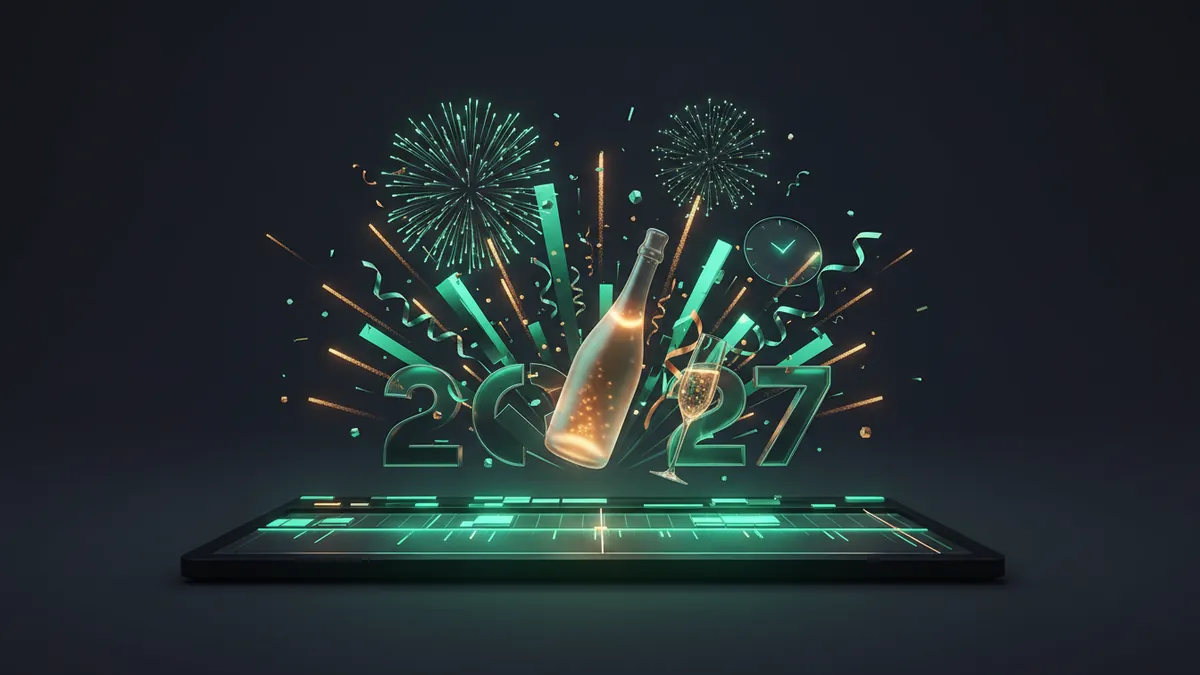
Generate the element instead of downloading footage. Every New Year preset here is drawn procedurally, so you type the year, the greeting and your colors before export. Firework shells follow real pyrotechnic types with drag, gravity and glitter, the midnight clock strikes on the frame you choose, and champagne, confetti and neon are built from geometry rather than clip art.

Stock New Year packs date fast: the numerals say 2026, the fireworks are one take, and the gold is a fixed grade. Because these clips are generated, the year is a text field, the shell palette is yours and the timing is set by duration, so a countdown lands exactly on your beat. The pyro follows the vocabulary of real displays, with willow, crossette, palm and strobe shells, bridge waterfalls and tower sweeps, so the scene reads as a broadcast finale rather than a sticker.
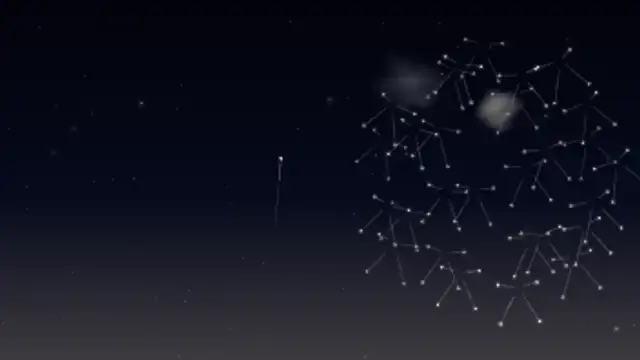
Five new year celebrations presets to start from

Hover any card to play it. Opening one loads it in the editor with every control unlocked.

  • Willow Gold Cascade

    Two huge gold willow shells climb on dimming rocket tails and crack open into long-burning comet stars that drift wide, droop under gravity for nine seconds and glitter out through a slow ring of smoke.

  • Crossette Split Shells

    Crossette shells throw out fat comet stars that all crack at the same instant behind a white flash, each one splitting into four and weaving a cross-hatched lattice of gold, white and blue tails that fade over two seconds.

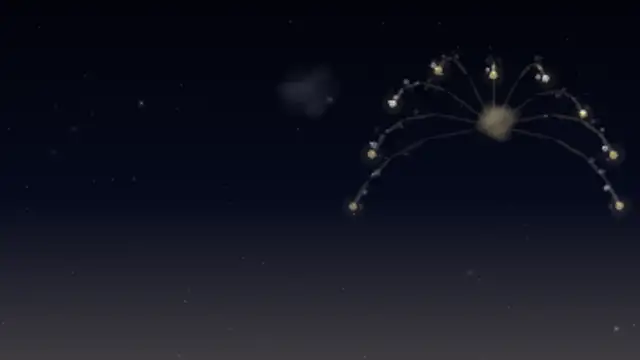
  • Palm Tree Shells

    A thick gold comet trunk climbs for a second and a half, then seven fat comet arms arc out and droop like palm fronds, each dragging a flickering glitter wake while smoke drifts off on the wind.

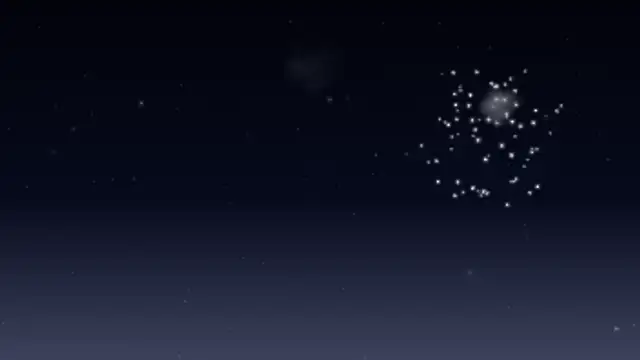
  • Strobe Glitter Shells

    Strobe shells scatter nearly two hundred silver-white points that flicker on and off at their own random phases like a stadium full of camera flashes, sinking slowly for five seconds around a warm coral pistil core.

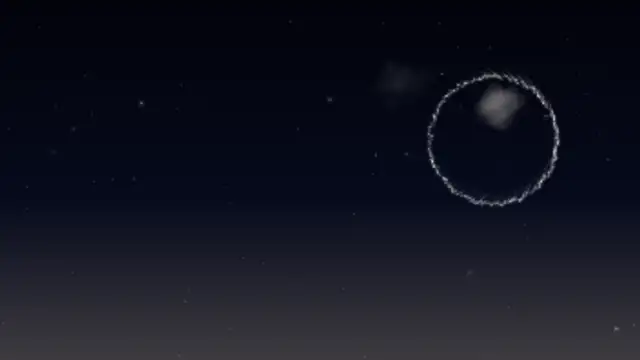
  • Ring and Heart Pattern Shells

    Pattern shells snap their stars into a clean ring or heart outline that holds its shape for a second and a half while slowly turning, then expands, sags under gravity and fades around a contrasting pistil core.

All new year celebrations

Step by step

  1. Pick the moment you are covering

    Midnight Gold Clock Strike, Pyro Number Countdown and Golden Number Countdown carry the last seconds before midnight. Skyline Fireworks over Water, Willow Gold Cascade and Finale Barrage with Smoke Haze are the show itself. Champagne Cork Pop, Champagne Flutes Clink and Party Popper Streamers are the toast that follows.

  2. Type the year and the greeting

    The year and every greeting are text fields, so set 2027 and your line once. Text presets such as Fireworks Text Reveal, Marquee Bulb Sign, Neon Sign Boot-Up and Sparkler Handwriting rebuild their sparks, bulbs and tubes around whatever you type, so a brand name or a longer wish still fits.

  3. Set the palette and the pace

    Primary is the gold of the shells and the champagne, Secondary the warm white, Accent the cool contrast. Keep gold on midnight blue for broadcast, or switch to silver and rose gold for a cooler grade. Duration sets the countdown pace: 10 seconds gives one number per second.

  4. Export for your platform

    Full scenes with their own sky export as MP4. Overlays such as the cork, the flutes, the popper and the text reveals default to a transparent background, so export a PNG sequence or WebM with alpha and drop them over your party footage. Choose 9:16 for Shorts, Reels and status videos.

  5. Cut it to the beat

    Place the clock strike or the final digit on the beat where your audio hits midnight, then let the fireworks run under the first seconds of the new year. Loops such as Willow Gold Cascade and Rooftop Confetti in Searchlights repeat cleanly, so stack them for as long as the party runs.

Where it is used

  • New Year greetings and status videos

    A creator types a wish into Gold Dust Text Converge or Fireworks Text Reveal, exports 9:16 and posts it as a New Year status or Reel on the evening of December 31.

  • Venue and stream countdowns

    A bar, church or streamer runs Midnight Gold Clock Strike or Crowd Countdown Scene on the big screen for the final minute, followed by Finale Barrage with Smoke Haze as the room cheers.

  • Brand and agency openers

    An agency opens its January reel with Metallic Year Numerals and Champagne Flutes Clink recoloured to the client palette, with the client's line in place of Cheers to 2027.

Presets
40 fireworks, countdown, toast and party presets
Default length
2.5 to 15 seconds
Best export
MP4 for scenes, WebM or PNG sequence with alpha for overlays
Aspect ratios
16:9, 9:16, 1:1, 4:5

Which format should you export?

MP4 for full scenes with their own sky, PNG sequence or WebM with alpha for overlays you composite over a party video or a logo. Choose 9:16 for Shorts, Reels and WhatsApp status, 16:9 for YouTube premieres and venue screens.

Format
MP4 · WebM · PNG sequence
Alpha
WebM or PNG sequence
Resolution
720p to 8K
Aspect
16:9 · 9:16 · 1:1 · 4:5
Works with
Premiere Pro · After Effects · DaVinci Resolve · Final Cut Pro · CapCut · Figma
License
Commercial use included
Cost
Free · no account · no watermark

Three tips that make it look intentional

  • Set the year and the greeting first, then pick the font. Every text-driven preset restructures its sparks, bulbs or tubes around the new word, so longer greetings still fit the frame.
  • Match the firework palette to your grade. Champagne gold on a midnight blue sky is the default; swap the primary color for silver or rose gold when the rest of the edit is cool.
  • Use duration to set the countdown pace. A ten second clip gives one number per second; stretch to twenty for a slower, more dramatic last minute.

Three things people get wrong

  • Running the finale at full density from the first second. Real shows build: start with single shells, add the barrage late and let the smoke accumulate.
  • Leaving the greeting white on a gold scene. Tint the text toward the shell color or the champagne so the frame holds together.
  • Cutting the clip before the sparks finish falling. Give willow and glitter shells their full burn so the tails fade rather than vanish.

Frequently asked

Can I change 2027 to another year?

Yes. The year and every greeting are text fields, so the same preset works for 2028 and for custom lines like Cheers to 2027 or Hello 2027.

Are the fireworks and champagne clips free to use commercially?

Yes. Everything is generated from original code with no third-party footage or brand marks, so the exports can be used in client work, ads and monetised videos under the licence.

  • How to Make a News Ticker for a Video

    News & Broadcast

    How to Make a News Ticker for a Video

    Use a ticker preset, enter your headlines, set the scroll speed and colors, and export. A breaking news banner and a headline bar cover the rest of a bulletin look, and transparent exports let them sit over your own footage or a studio plate.

    Read the guide
  • How to Animate DNA and Cells for a Science Video

    Science & Medical

    How to Animate DNA and Cells for a Science Video

    Instead of licensing stock, edit a preset: a DNA helix, an ECG monitor, a beating heart, dividing cells or a lab flask. You set the colors, speed and labels, and export MP4 or transparent WebM with a commercial license included.

    Read the guide
  • How to Make an Animated Holiday Greeting Video

    Holidays & Celebrations

    How to Make an Animated Holiday Greeting Video

    Choose a seasonal preset, type your greeting, set the colors to your brand, and export. Lanterns, diyas, candles and garlands work as a backdrop for a message, and a transparent export lets the decoration sit around your own footage.

    Read the guide
Ready to create?

Make your next clip in the next five minutes

Editing, previewing and downloading are free. No account, no watermark, every format and resolution.