velements

Green Energy

Green energy graphics: turbines, solar and net zero

Updated September 18, 20263 min read

What visuals suit a sustainability video?

Clean line art beats stock photography for sustainability claims. A turbine turning, a battery charging from solar, a recycling loop closing or a net zero chart falling to the line each show a process rather than a mood, and they stay honest about what is being claimed.

Green claims need visuals that look measured rather than idyllic. These presets turn wind turbines, charge solar batteries, flow hydropower, connect smart grids, shrink carbon footprints and leaf out an Earth globe.
Five green energy presets to start from

Hover any card to play it. Opening one loads it in the editor with every control unlocked.

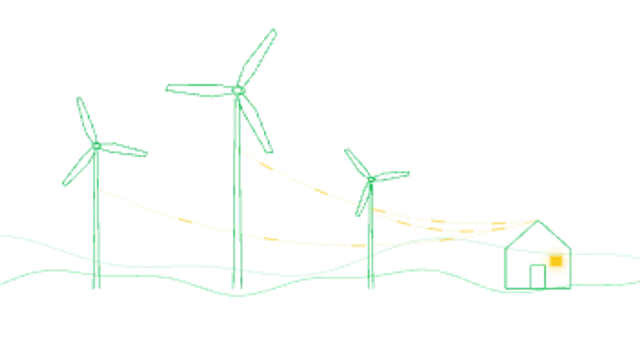
  • Line-art wind turbines of different sizes spin over rolling hills while dashed energy flows along cables to a home.

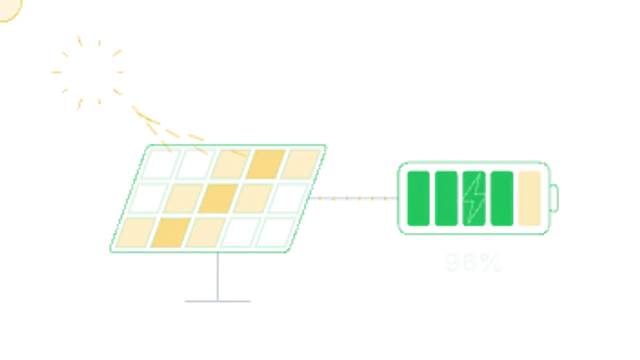
  • Sun rays strike a shimmering solar panel and current dots run along a wire into a battery that fills segment by segment to full.

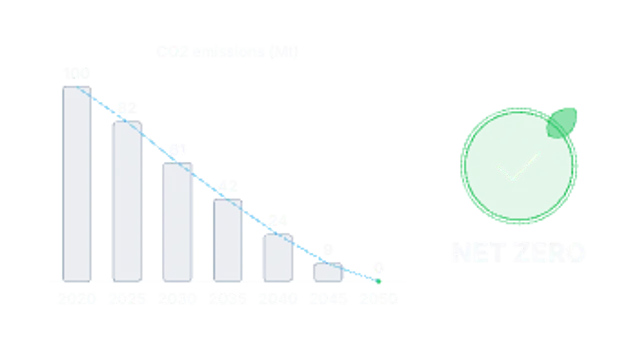
  • Yearly CO2 emission columns step down to zero, a trend line traces the drop and a leaf check badge stamps NET ZERO.

  • Three chasing recycling arrows travel endlessly around a rounded triangle while a leaf pulses at the center.

  • A leaf outline draws on, its veins grow and liquid green energy rises inside with a wave to a percentage counter among sparkles.

All green energy

How to make one in the browser

  1. 01Open a green energy presetBrowse the Green Energy category and open the preset closest to what you need. It loads in the editor with every control unlocked.
  2. 02Make it yoursRewrite the text, set your brand colors and font, adjust easing and duration, and switch the aspect ratio for the platform you are posting to.
  3. 03Export the clipChoose MP4 for a normal track or transparent WebM for an overlay, pick a resolution up to 8K, and the file renders on your own machine.

Which format should you export?

Use MP4 when the clip sits on its own track or fills the frame. Use transparent WebM whenever it has to float over your own footage: the alpha channel is real, so no keying or blend mode is needed.

Format
MP4 H.264 · WebM VP9
Alpha
Transparent WebM
Resolution
720p to 8K
Aspect
16:9 · 9:16 · 1:1 · 4:5
License
Commercial use included

Three tips that make it look intentional

  • Show the number next to the metaphor: a falling chart beside a turbine.
  • Keep the palette to greens and neutrals; every extra hue dilutes the message.
  • Match the claim on screen to the claim in the script exactly.

Frequently asked

Can I put my own figures in?
Yes, the meter and chart presets take your own values and labels.
Do they loop for background use?
Turbine and recycle loops are seamless, so they can run behind a title for as long as you need.
  • Spotlight & Focus

    Spotlight and before-after: direct the viewer's eye

    Use a before-after wipe: place both images or clips in the preset, set the wipe direction and speed, and let the line travel across the frame. A spotlight or magnifier does the same job for a single detail inside one image.

    Read the guide
  • Device Mockups

    Device mockups: show an app without filming a phone

    Use a device mockup preset, upload a screenshot, and let the phone, laptop or browser frame animate around it. The result is a clean product shot with no glare, no hand and no camera, exported as MP4 or transparent WebM.

    Read the guide
  • Shop & Ecommerce

    Product promos: carts, price drops and ratings that sell

    Three beats do most of the work: the price drop, the social proof, and the call to action. An add-to-cart animation, a star rating and a promo code give a viewer the reason, the reassurance and the next step in under ten seconds.

    Read the guide