velements

Trading & Markets

Trading graphics: candlesticks, tickers and heatmaps

Updated September 18, 20263 min read

How do you make a trading chart animation?

Pick a market preset, set your values and colors, and choose how fast the candles print or the ticker scrolls. Export MP4 for a full screen or transparent WebM to place the chart over a presenter, with no terminal screenshot required.

Finance content lives on charts, and screenshots of a real terminal age badly and carry someone else's branding. These presets print candlesticks, scroll tickers, fill order books and pulse heatmaps with your own numbers.

Five trading & markets presets to start from

Hover any card to play it. Opening one loads it in the editor with every control unlocked.

  • Green and red candles form live on a scrolling trading grid with a moving average and a floating price tag.

  • Stepped bid and ask depth walls breathe on either side of a glowing mid price, straight from an exchange screen.

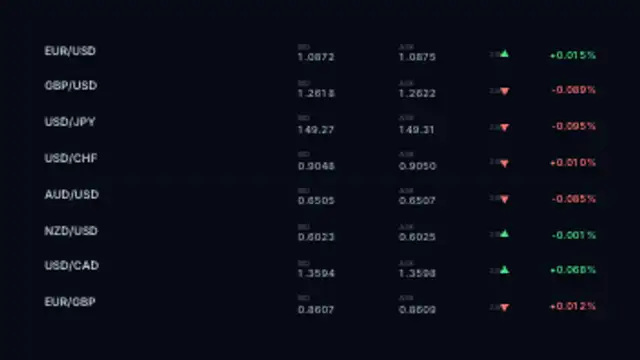
  • A watchlist grid of fictional symbols ticks through live prices with green and red flashes and direction arrows.

  • A glowing area chart climbs with realistic volatility while a gain counter races upward behind a pulsing head dot.

  • Treemap tiles of fictional stocks shift between green and red intensities with live percentage moves across the board.

All trading & markets

How to make one in the browser

  1. 01Open a trading & markets presetBrowse the Trading & Markets category and open the preset closest to what you need. It loads in the editor with every control unlocked.
  2. 02Make it yoursRewrite the text, set your brand colors and font, adjust easing and duration, and switch the aspect ratio for the platform you are posting to.
  3. 03Export the clipChoose MP4 for a normal track or transparent WebM for an overlay, pick a resolution up to 8K, and the file renders on your own machine.

Which format should you export?

Use MP4 when the clip sits on its own track or fills the frame. Use transparent WebM whenever it has to float over your own footage: the alpha channel is real, so no keying or blend mode is needed.

Format
MP4 H.264 · WebM VP9
Alpha
Transparent WebM
Resolution
720p to 8K
Aspect
16:9 · 9:16 · 1:1 · 4:5
License
Commercial use included

Three tips that make it look intentional

  • Green up and red down is expected; inverting it costs the viewer a beat.
  • Scroll tickers slowly enough to be read on a phone.
  • Hold the final chart state before cutting so the takeaway registers.

Frequently asked

Can I put in my own prices?
Yes, values, labels and tickers are editable, so the chart matches the story you are telling.
Is this financial advice?
No. These are graphics for your own content, and nothing in them implies a recommendation.
  • Holidays & Celebrations

    Holiday animations: greetings that feel made, not bought

    Choose a seasonal preset, type your greeting, set the colors to your brand, and export. Lanterns, diyas, candles and garlands work as a backdrop for a message, and a transparent export lets the decoration sit around your own footage.

    Read the guide
  • Maps & Routes

    Animated maps: routes, pins and globes

    Use a map preset: set your start and end points, choose the line color and speed, and the route draws itself between pins. Flight paths, delivery routes and rotating dot globes all export as MP4 or transparent WebM for use over any background.

    Read the guide
  • Flags & Banners

    Flag animations: waving flags, bunting and banners

    Pick a flag preset and set the colors of the bands or upload your own artwork where supported. The wave is simulated per frame, so the cloth keeps moving naturally for as long as you need, and a seamless loop avoids a visible restart.

    Read the guide