
Billowing smoke rolls in from the right with a soft blurred edge, wraps the frame and drifts away.
Smoke Wisp Dissolve
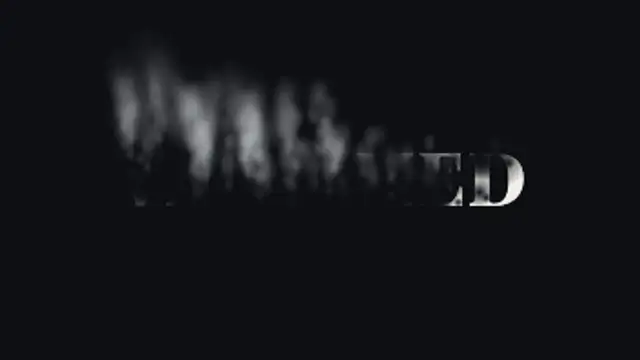
Soft holes eat through your title as it burns away into curling smoke that rises, sways and thins out into the air.
Your title dissolves into soft curling smoke that rises and fades. Type your text, choose smoke color and export with a transparent background.
Part of Text Animations. New to this kind of graphic? Read How to Animate Text in a Video.
Transparent exports and editor imports are explained in the transparent video guide, and every download is free under the commercial license.
Content: text. Typography: font, weight, size, letter spacing, line height and align. Style: background, text color, primary, secondary and accent. Layout: aspect ratio. Motion: duration, easing and variation.
Smoke Wisp Dissolve runs 5 seconds by default, and you can set any length up to 15 seconds before you export. It plays once.
Use Smoke Wisp Dissolve to remove a name at the end of a mystery teaser, fade a quote in a meditation video or close a magic trick reveal. The letters thin into rising smoke, a quiet exit that suits low-key music.
Billowing smoke rolls in from the right with a soft blurred edge, wraps the frame and drifts away.

Letters sharpen out of a dreamy blur from the center outward for elegant, cinematic titles.

Layered banks of fog drift across the frame, part to either side to reveal your title in the clearing, then roll back in and swallow it again.

Your letters soften and sag while thick drips run from their bottom edges, swell into heavy tips and let the odd drop fall away.

Raindrops land on the glass in front of your blurred title and each one refracts the words, flipped and magnified, before some slide away leaving wet trails.

Your title drains away from the bottom up, grain by grain, and the sand falls and piles into a real heap that slumps at its natural angle.

Irregular grey ash flecks and a few glowing cinders sink and drift. Moody texture for trailers, horror and war scenes.
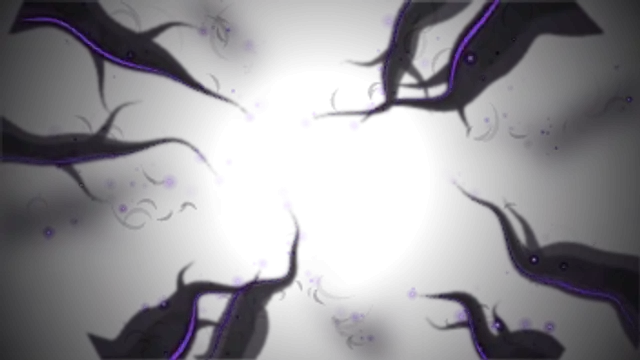
Darkness closes in from the frame edges as needle-tipped smoky tendrils creep toward the centre in layers of depth, curl and grasp, then recede, lit by a faint violet inner rim and drifting purple ember flecks. The centre stays transparent for compositing.