velements

Cartoon FX

Cartoon FX: hand-drawn energy for cuts and reactions

Updated September 18, 20263 min read

What are cartoon FX in video editing?

Cartoon FX are hand-drawn style elements, smoke puffs, speed lines, impact stars and comic captions, that exaggerate a moment. They are exported with transparency and placed over footage, usually for two to eight frames on the beat of the action.

Animated exaggeration makes an ordinary cut funny. These presets puff smoke, zap lightning, draw speed lines, pop comic impacts and spin dizzy stars, in your own palette.


Five cartoon fx presets to start from

Hover any card to play it. Opening one loads it in the editor with every control unlocked.

  • A chunky cluster of outlined smoke clouds bursts out, drifts upward and dissipates. Classic 2D poof for entrances and exits.

  • A jagged flat-color blast flickers outward, throws outlined debris and collapses into rolling smoke. Punchy Flash-style FX.

  • Manga focus lines rush in from every edge and boil around a clear center. Seamless loop for dramatic reactions and emphasis.

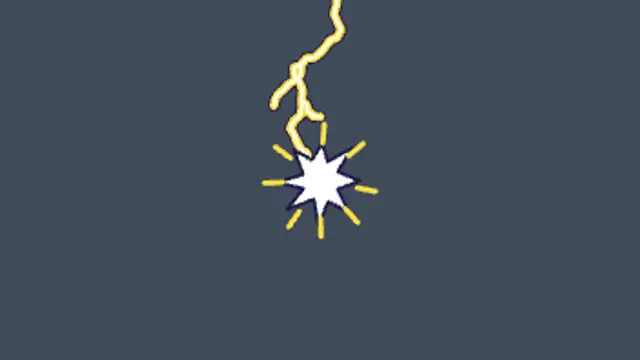
  • An outlined cartoon lightning bolt strikes down, flickers with a screen flash and lands with a starburst of sparks.

  • A jagged comic-book burst slams in with halftone dots and a shaking POW! lettering, then pops away. Edit the word freely.

All cartoon fx

How to make one in the browser

  1. 01Open a cartoon fx presetBrowse the Cartoon FX category and open the preset closest to what you need. It loads in the editor with every control unlocked.
  2. 02Make it yoursRewrite the text, set your brand colors and font, adjust easing and duration, and switch the aspect ratio for the platform you are posting to.
  3. 03Export the clipChoose MP4 for a normal track or transparent WebM for an overlay, pick a resolution up to 8K, and the file renders on your own machine.

Which format should you export?

Use MP4 when the clip sits on its own track or fills the frame. Use transparent WebM whenever it has to float over your own footage: the alpha channel is real, so no keying or blend mode is needed.

Format
MP4 H.264 · WebM VP9
Alpha
Transparent WebM
Resolution
720p to 8K
Aspect
16:9 · 9:16 · 1:1 · 4:5
License
Commercial use included

Three tips that make it look intentional

  • Land the effect on the frame of impact, not after it.
  • Fewer frames than you think: cartoon FX are punctuation.
  • Thick outlines survive compression on social platforms.

Frequently asked

Do these work over live action?
Yes, the transparent export drops straight over footage with no keying.
Can I recolor them?
Every preset exposes its fill and outline colors so the set can match your video.
  • Science & Medical

    Science and medical animations for explainers

    Instead of licensing stock, edit a preset: a DNA helix, an ECG monitor, a beating heart, dividing cells or a lab flask. You set the colors, speed and labels, and export MP4 or transparent WebM with a commercial license included.

    Read the guide
  • Trading & Markets

    Trading graphics: candlesticks, tickers and heatmaps

    Pick a market preset, set your values and colors, and choose how fast the candles print or the ticker scrolls. Export MP4 for a full screen or transparent WebM to place the chart over a presenter, with no terminal screenshot required.

    Read the guide
  • Holidays & Celebrations

    Holiday animations: greetings that feel made, not bought

    Choose a seasonal preset, type your greeting, set the colors to your brand, and export. Lanterns, diyas, candles and garlands work as a backdrop for a message, and a transparent export lets the decoration sit around your own footage.

    Read the guide