
Tapered speed streaks rip across the frame in staggered lanes, the whip-past blur that sells a dash without touching your footage.
Flash Step Afterimage

A capsule silhouette crouches, vanishes in a blur and reappears across the frame, leaving flickering afterimages, speed streaks and dust kicks at both ends.
Animate an anime flash step: a silhouette dashes across frame leaving afterimages, speed streaks and dust kicks. For fight edits and AMVs. Alpha.
Part of Cartoon FX. New to this kind of graphic? Read How to Add Cartoon Effects to a Video.
Transparent exports and editor imports are explained in the transparent video guide, and every download is free under the commercial license.
Style: background, primary, secondary, accent and outline. Layout: aspect ratio, scale, rotation and position. Motion: duration and variation.
Flash Step Afterimage runs 1.4 seconds by default, and you can set any length up to 15 seconds before you export. It plays once.
Run it between two positions of the same person in a jump cut, across a football pitch diagram, or along a route on a map. The silhouette is a neutral capsule, so it stands in for any character without matching a costume.
Tapered speed streaks rip across the frame in staggered lanes, the whip-past blur that sells a dash without touching your footage.

A cel light column slams down, squeezes to a thread with rising glints, then pops into a ring of twinkles. Anime teleport in or out.

A red cross-popping vein mark pops on and throbs with hand-drawn boil. The classic anime symbol for rising anger.

A blinding dome of light swells in stepped cel-shaded bands with a ground shock ring, then cools into a boiling smoke mushroom.

The anime blue shadow of dread: a cold tint and graded hatch lines hang down over the top of a face with dripping beads and drifting gloom wisps. Seamless loop.
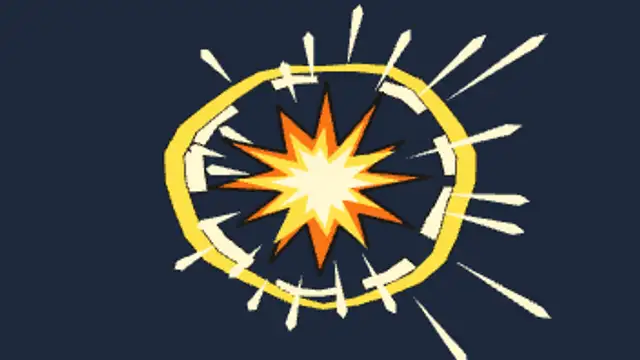
A hit lands: a boiling spike star pops, distorted shock rings blow outward and force lines flare away from the fist with a white flash frame.

A tapered energy crescent carves across the frame with a bright core and a snap of screen flash, then fades. Stack up to three crossing cuts.

The anime gag: a translucent ghostly soul with a tiny dazed face slides up out of a mouth, waves its tail, then drifts away among faint sparkles.